
SanDisk SecureAccess Software, SanDisk Password Protection
|

SanDisk SecureAccess Software, SanDisk Password Protection

SanDisk SecureAccess 3.02 Support Information and Download https://kb.sandisk.com/app/answersweb/detailweb/a_id/2399 SecureAccess Quick Start Guide How To Use SecureAccess SecureAccess V3.02 Application for PC and Mac:– Download for PC (8MB)– Download for Mac (13MB) System Requirements– Microsoft Windows® 11, Windows®10, Windows® 8, Microsoft Windows® 7, Windows Vista®– Mac OS® X 10.7+ Note: SecureAccess is not supported on APFS drives
How to Find your Windows Product Key by Using the Command Prompt?
| | |

How to Find your Windows Product Key by Using the Command Prompt?

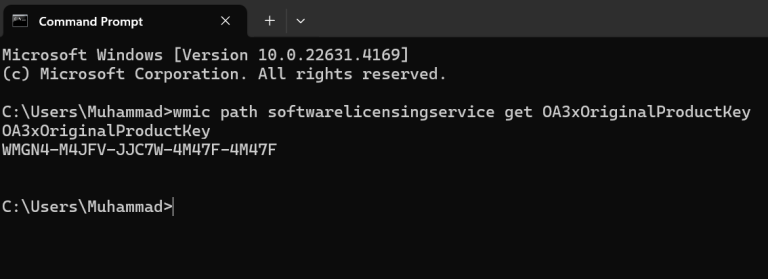
Open Command Prompt and Typewmic path softwarelicensingservice get OA3xOriginalProductKey How to Find your Windows 10/11 Product Key by Using the Command Prompt?Step 1: Type ‘cmd’ in the search box on the Taskbar. Step 2: Right click on the ‘Command Prompt’ at the top, and then click on ‘Run as Administrator.’ Step 3: Type the command…

End of content

End of content